How to turn your own bike into a stationary bike, without a smart trainer
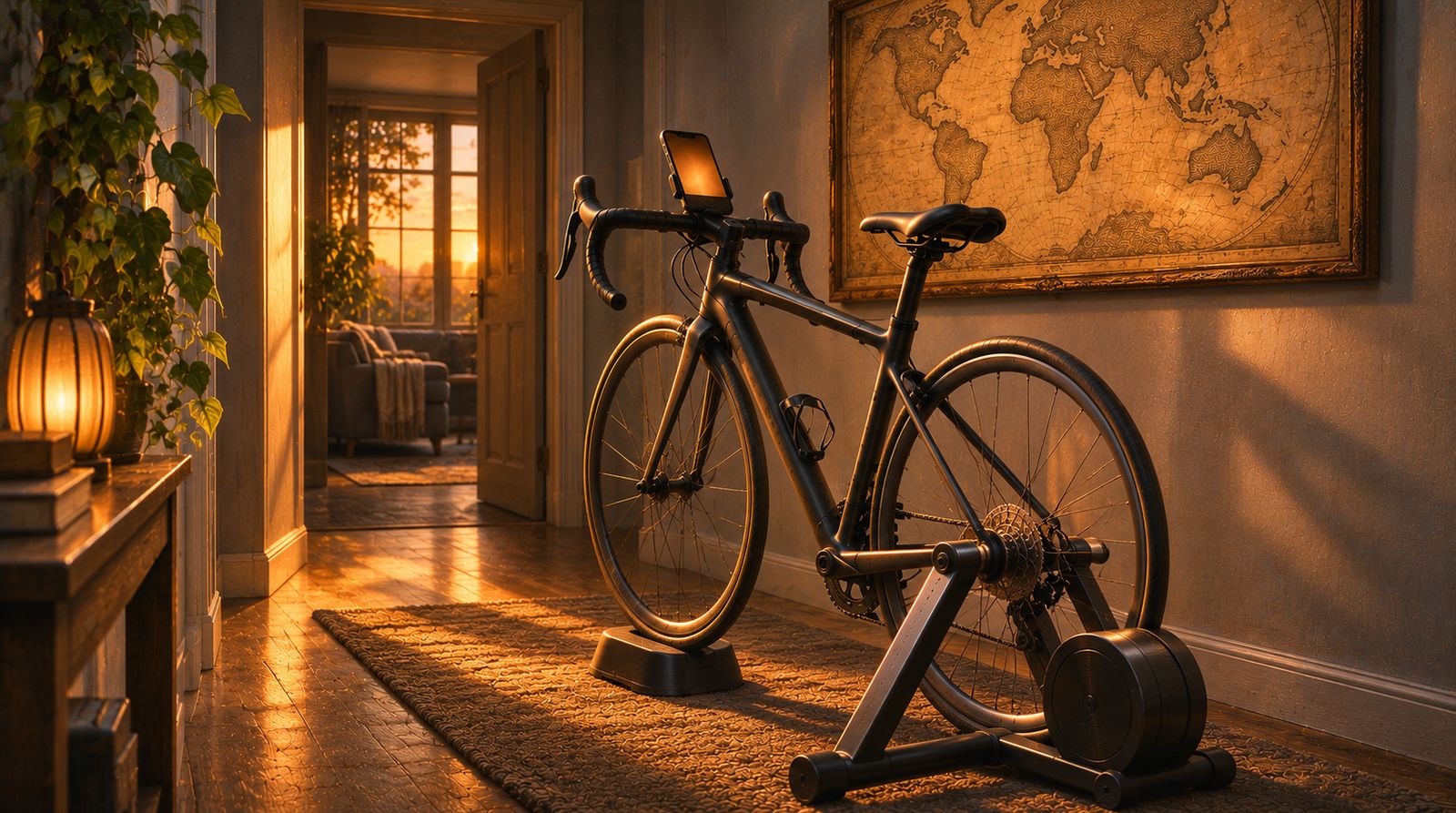
In short: to turn your bike into a stationary bike, clamp the rear wheel in a wheel-on trainer stand (or ride it on rollers) and fit a trainer tyre if you'll ride often. For an app, add a small Bluetooth speed sensor on the rear hub: several apps read it, and it counts real wheel turns, so the distance is measured rather than guessed. You don't need a smart trainer for any of this.
A smart trainer is the expensive part of indoor cycling, and plenty of riders would rather not start there. One rider weighing up an upgrade put it plainly: "I don't have a lot to spend atm" (r/IndoorCycling, October 2026). Another wanted to "try zwift before spending too much money on a more expensive set up" (r/Zwift, September 2026). Turning the bike you own into a stationary bike is the cheaper first step. This page covers the hardware. When you're ready for the app side, indoor cycling without a smart trainer picks up from there.
What you need to turn your bike into a stationary bike
- Your bike. A road, hybrid or mountain bike all work on most stands. Check the stand fits your rear axle type before you buy.
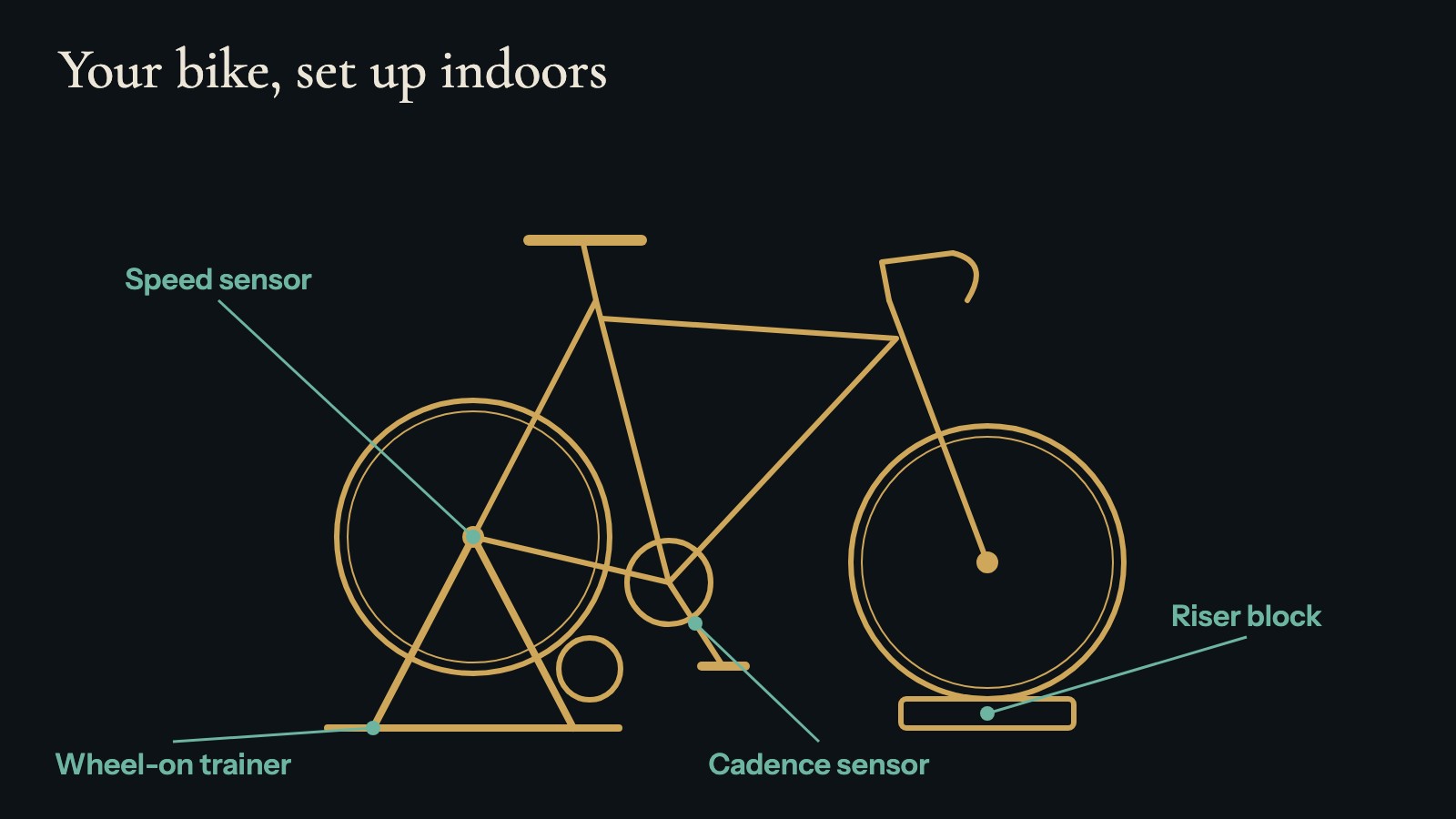
- A stand or rollers. A wheel-on trainer clamps the rear axle and presses a roller against the tyre. Rollers are three drums you balance on, with nothing holding the bike.
- A trainer tyre (optional, but worth it if you ride often). Road tyres wear fast and squeal against a trainer roller. A trainer tyre is harder and quieter.
- A front riser block. A wheel-on stand lifts the rear wheel, so the bike tips forward. A block, or a folded towel at first, levels it.
- A sensor, if you want an app to follow your ride. More on which one below.
- A phone or tablet with Bluetooth, on a stand or shelf you can see.
Wheel-on trainer, rollers or a cheap exercise bike: the trade-offs
| Setup | Good for | Watch out for |
|---|---|---|
| Wheel-on trainer with your bike | Easy to set up, stable, no balance needed. Uses the bike you already have. | Tyre wear and roller noise. You fit the bike in and out each time. |
| Rollers with your bike | A ride that feels closer to the road. Nothing to clamp. | You need to learn to balance, and you can't stop pedalling without putting a foot down. |
| A basic exercise bike | Always ready, no bike to move. | No real wheel, so a speed sensor has nowhere to sit. A cadence sensor is the usual choice, and distance is estimated. |
The rider in this r/IndoorCycling thread (September 2026) summed up the worry with rollers ("need to learn how to balance but it can't be impossible, right? + I've heard they're loud") and with wheel-on trainers ("I've heard it's loud and I live in student dorm 1st floor"). Both are fair points; see noise, sweat and space below.
Speed sensor or cadence sensor: why speed gives real distance
A basic trainer or a set of rollers sends nothing to your phone. A small Bluetooth sensor fixes that. There are two kinds, and on your own bike the difference matters.
- A speed sensor goes on the hub of the wheel that turns while you ride. On a wheel-on trainer, that's the rear wheel. The front wheel stands still, so a sensor there measures nothing (help: speed and cadence sensors). It counts real wheel turns, so with the right wheel size the app knows how far the tyre has rolled.
- A cadence sensor goes on the inside of a crank arm and counts pedal turns. It can't see which gear you're in, so any app has to guess your speed from it.
In Cyclorama, a speed sensor gives measured distance, the same as a smart trainer. A cadence sensor gives estimated distance, based on the gearing you pick (Easy, Middle or Hard). The full list is on what you can ride with.
Check the sensor speaks Bluetooth, not only ANT+. Phone apps read Bluetooth Low Energy, and ANT+-only sensors can't connect to Cyclorama. Many sensors send both. Pair it from inside the app, not from your phone's Bluetooth settings (help: pairing). Riders with no sensor at all can use an exercise bike app that needs no Bluetooth instead.
Set your wheel size so the distance is right
A speed sensor counts turns. The app turns those into distance using your wheel size, so a wrong size makes every ride a little long or a little short.
The size is printed on the side of the tyre, for example 700×25C, or 25-622 (the same size). The first time you connect a speed sensor, Cyclorama asks for it under Your bike, from 700×23C up to 29×2.2. Not sure? Keep 700×25C: it fits most road bikes and trainers and is within a few percent for the rest. You can change it later in Settings, under Wheel size (help: speed and cadence sensors).
If you fit a trainer tyre, check its size too. It may differ from your road tyre.
Which apps read a plain speed sensor
Several well-known apps work with a classic trainer and a speed sensor. Most of them turn your speed into an estimated power figure, which suits training: Turbo trainer apps that work with just a speed or cadence sensor goes through each in more detail.
- Zwift uses zPower, its "estimated power calculation for supported wheel-on trainers that don't transmit power data". You connect a speed sensor or power meter and pick your trainer in the app (Zwift support, updated July 2026).
- TrainerRoad uses VirtualPower, "a power calculation that's based on your speed readings and the unique make and model of the trainer you're using" (TrainerRoad support).
- MyWhoosh has a Speed Sensor Mode for "speed sensors and traditional trainers", with free ride mode without a smart trainer (MyWhoosh).
- Cyclorama (iPhone and iPad) reads the same kind of sensor, but for distance, not power. Pick an era of history and pedal: every kilometre moves its calendar forward, and dated moments appear as you reach them. It never changes your trainer's resistance, and it has no structured training or races.
Which one fits depends on the ride. For intervals, racing or a training plan, one of the first three. For easy and endurance rides when you want something to follow rather than something to race, Cyclorama. Some riders use both.
Zwift's tip to tighten the trainer as its maker says and keep the tyre pumped up helps in any app. For a longer list, see turbo trainer apps that work with a speed or cadence sensor. If you are also weighing a subscription, Zwift alternatives and what each one needs covers the options.
Noise, sweat and space
- Noise. Most of it comes from the tyre on the roller. A trainer tyre and a mat under the stand both help. If you live upstairs from someone, a mat matters more than anything else on this list.
- Sweat. Indoors there's no wind, so you sweat more than outside. A fan and a towel over the handlebars protect you and the bike. Wipe the frame afterwards.
- Space. A wheel-on trainer needs roughly the length of the bike plus room to get on and off. Rollers need a little more, ideally beside a wall or door frame you can reach while you learn.
Next step: riding with an app
Once the bike is set up and the sensor is on, the app side is short. Indoor cycling without a smart trainer covers which sensors Cyclorama reads, how each kind of ride counts, and riding with no sensor at all. An era in Cyclorama runs about 25 km for a Sprint and 55 to 89 km for a Classic, and your place is kept between rides (the eras).
Questions
Can I turn my normal bike into a stationary bike?
Yes. Put the rear wheel in a wheel-on trainer stand, or ride on rollers, and swap to a trainer tyre if you ride often. To use an app, add a Bluetooth speed sensor on the rear hub; a cadence sensor on the crank also works but gives an estimate.
Which indoor cycling apps work with just a speed sensor on a regular bike?
Zwift (zPower), TrainerRoad (VirtualPower) and MyWhoosh (Speed Sensor Mode) estimate your power from a speed sensor on a classic trainer. Cyclorama reads the same sensor to measure distance and moves an era of history forward as you ride; it is for easy rides, not training.
Do I need a speed sensor or a cadence sensor?
On your own bike in a stand, a speed sensor on the rear hub is the better choice, because it counts real wheel turns. In Cyclorama that distance is measured. A cadence sensor counts pedal turns only, so the distance is estimated.
Will Cyclorama change my trainer's resistance?
No. Cyclorama only reads your speed, cadence or power. It never sends control commands, so you set the effort with your gears or your trainer's own settings.
Get Cyclorama
Cyclorama is free on the App Store for iPhone and iPad (iOS 15 or later). Sprint routes are free for good. Android is coming soon: join the beta and we'll invite you.
Download on the App Store Android beta
- Exercise bike app with no Bluetooth: what actually works
- Turbo trainer apps that work with just a speed or cadence sensor
- A stationary bike workout for seniors that's easy to follow
- Indoor cycling without a smart trainer
- All guides
Image credits
| Credit | Licence | Source |
|---|---|---|
| Illustration, not a photograph: a road bike in a wheel-on trainer in a home hallway, its front wheel on a riser block, with evening light through a doorway. Created for Cyclorama with ChatGPT (AI-generated) | AI-generated by us (ChatGPT) | |
| Cyclorama | Own graphic |