Turbo trainer apps that work with just a speed or cadence sensor
In short: with a speed sensor on a classic turbo trainer, Zwift, TrainerRoad and MyWhoosh all estimate your power, and TrainingPeaks Virtual can use a speed and cadence sensor. With a cadence sensor alone the choice is smaller: Cyclorama estimates your distance from cadence and gearing, while Rouvy says cadence alone is not enough. Whichever turbo trainer app you pick, most sensor trouble comes down to a sleeping sensor or two apps fighting over it.
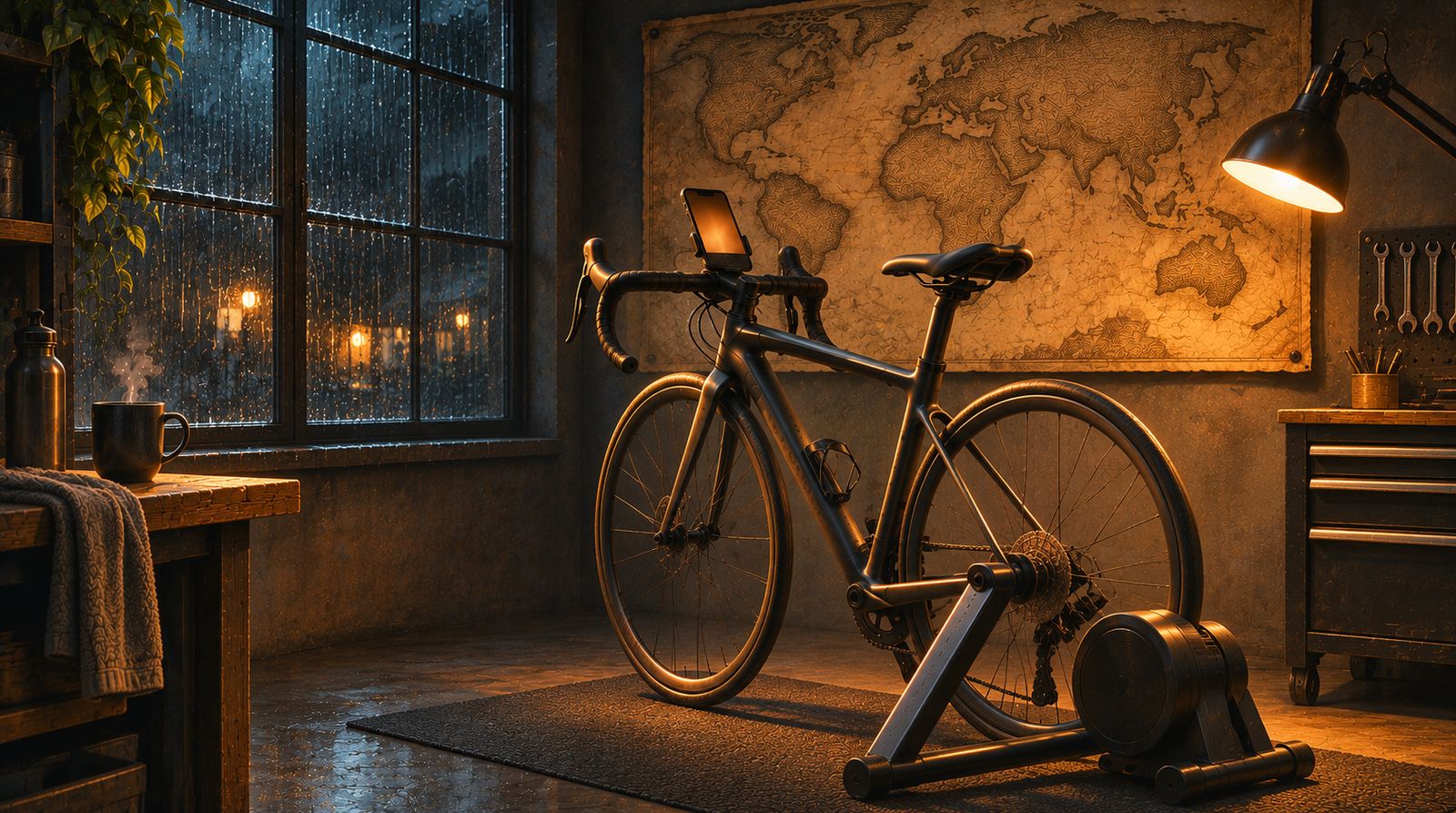
A smart trainer is not the only way into a turbo trainer app. Plenty of riders have a wheel-on trainer, an older exercise bike or a spin bike, plus a cheap sensor. This page explains what each sensor can tell an app, which apps do what with it, and how to stop it dropping out.
Speed, cadence and power: what each sensor tells an app
| Sensor | What it counts | What an app can work out |
|---|---|---|
| Speed sensor | Turns of the rear wheel | Speed and distance, from your wheel size. Some apps also estimate power from your trainer's resistance curve. |
| Cadence sensor | Turns of the cranks | How fast you pedal. Speed and distance only as an estimate, because the app can't see your gear. |
| Power meter | How hard you push | Power directly. Speed is an estimate, as if you were on a flat road. |
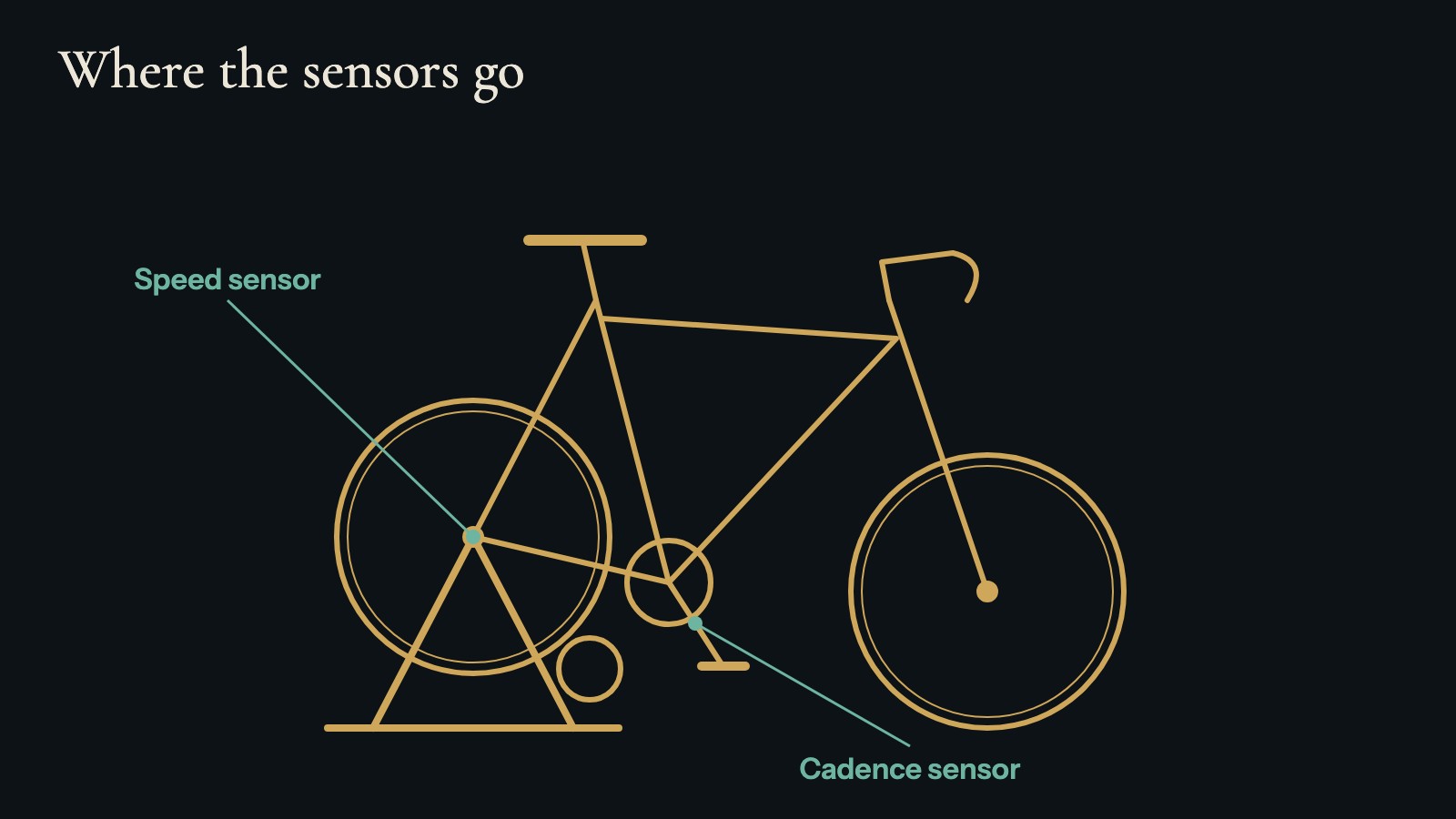
A speed sensor goes on the hub of the wheel that turns. On a wheel-on trainer that is the rear wheel; the front wheel stands still, so a sensor there measures nothing. A cadence sensor sits on the inside of a crank arm. Some sensors do both jobs. The help page has fitting notes. Turning your own bike into a stationary bike covers the stand, tyre and wheel size.
Turbo trainer apps that estimate power from a speed sensor
Zwift calls this zPower: an estimate of your power for supported wheel-on trainers that don't send power. You connect a speed sensor or a power meter, pick your trainer, and set any resistance dial to match what Zwift shows. Zwift says plainly that zPower is an estimate, that it isn't available in Zwift-organised events, and that adding a cadence sensor can improve accuracy (Zwift zPower, updated 8 July 2026). A 2020 Zwift Insider guide adds that standalone exercise bikes may not be compatible (Zwift Insider).
TrainerRoad does the same with VirtualPower: a power figure based on your speed and the make and model of your trainer (TrainerRoad pairing guide). It is built for structured training, so it suits riders who want workouts on a basic turbo.
MyWhoosh has a Speed Sensor Mode for speed sensors on traditional trainers, using a speed-to-power estimate, for free rides without a smart trainer (mywhoosh.com).
TrainingPeaks Virtual can take a smart trainer, a power meter or a speed and cadence sensor as its source of power data (TrainingPeaks Virtual FAQ). Our Zwift alternatives guide compares these with the other paid apps.
One catch on spin bikes: their heavy flywheel spins fast at low resistance. A rider who fitted a speed sensor to one wrote that the apps (Zwift/MyWhoosh) think I'm constantly pushing 350W - 450W+ without even trying
(r/cycling, June 2026). Power curves are made for wheel-on trainers, so on a spin bike or exercise bike a cadence sensor is often the simpler choice. If your bike has no sensor at all, exercise bike apps that work without Bluetooth covers that case.
Apps that ride on cadence alone
Cadence on its own is harder for most apps, because pedal turns don't say how fast you would be going. Rouvy's support pages say you need a speed sensor or a power meter, and that a cadence sensor alone is not enough (Rouvy support). Zwift's zPower page lists a speed sensor or power meter too, with cadence as an extra.
Cyclorama is our app, so here is what it does and doesn't do. It is for iPhone and iPad, and it reads a cadence sensor on its own. You pick your usual gearing (Easy, Middle or Hard) and it estimates your distance from your cadence. That distance moves you through an era of history, and dated moments appear as you reach them. It is labelled as estimated, because it is one. The no smart trainer page has the full sensor table.
It also reads a speed sensor on the rear wheel (distance measured, with your wheel size), a power meter (distance estimated), or a smart trainer. With no sensor at all, you set your speed with a slider. Any sensor using the standard Bluetooth speed and cadence profile should show up; you don't need a particular make. Cyclorama only reads data and never changes your trainer's resistance, and it has no structured workouts, races or group rides. It suits easy and endurance rides; keep a training app for intervals. More on this on the no smart trainer page.
Why sensors drop out and how to stop it
Most dropouts and "sensor not found" problems have a handful of causes, whichever app you use.
- Wake it. Most sensors sleep to save their battery. Pedal a few turns or spin the wheel just before you search.
- One app at a time. Most sensors accept only one connection. If Zwift, another app or a bike computer is holding it, other apps may not find it. Close the other app fully, don't just switch away.
- Keep the phone close. Within a metre or two of the sensor, with the app on screen.
- Check the battery. A weak coin cell gives patchy readings before it dies.
- Check the magnet. If your sensor uses one, it has to pass close on every turn.
Setups with several devices take more care. One r/Zwift rider wrote: Every single time I have to connect my trainer first as power, then as resistance, then I have to connect my power meter as power and then finally as cadence.
(r/Zwift, October 2026). That is the price of an app that does more with each sensor. Cyclorama reads one sensor during a ride, and if it drops out the ride shows Disconnected, history waits where you were, and the app keeps trying to reconnect. The help page covers pairing, dropouts and another app using the sensor.
ANT+ vs Bluetooth on a phone
Sensors talk to apps over Bluetooth, ANT+, or both. Phone apps such as Cyclorama read Bluetooth, so a sensor that only speaks ANT+ won't connect. Strava's phone app doesn't plan to add ANT+ at all (Strava support). Many speed and cadence sensors send both signals (Zwift Insider, 2020), so check yours before buying another. If you want a cheap sensor for a phone, look for one that lists Bluetooth.
Cyclorama doesn't read heart-rate monitors, so a chest strap won't show up in its sensor list.
Questions
Which indoor cycling apps work with just a cadence or speed sensor?
With a speed sensor on a classic turbo trainer, Zwift (zPower), TrainerRoad (VirtualPower) and MyWhoosh (Speed Sensor Mode) estimate your power. TrainingPeaks Virtual can use a speed and cadence sensor. With a cadence sensor alone, the choice is smaller: Cyclorama estimates distance from your cadence and gearing, while Rouvy says cadence alone is not enough.
What are the best turbo trainer apps that are not Zwift?
On a classic turbo trainer with a speed sensor, MyWhoosh is free and has a Speed Sensor Mode, TrainerRoad uses VirtualPower for structured training, and TrainingPeaks Virtual accepts a speed and cadence sensor. Cyclorama is for easy rides with something to follow, not for training or racing. The apps compared page goes wider.
Can Strava read a cadence sensor?
Not directly in its phone app. Strava's September 2026 help article says the app pairs Bluetooth heart-rate monitors, and power and cadence sensors are planned with no date (Strava support). Record the ride in another app or on a bike computer and upload it. A rider asking this in July had the same question about a Coospo cadence sensor (r/cycling).
Can I use an ANT+ sensor with an app on my iPhone?
Not if it only speaks ANT+. Phone apps such as Cyclorama read Bluetooth sensors. Many speed and cadence sensors send both Bluetooth and ANT+, so check yours before buying a new one.
Get Cyclorama
Cyclorama is a free download on the App Store for iPhone and iPad, with no account. Android is in beta: join the list and we'll invite you.
Download on the App Store Android beta
- Exercise bike app with no Bluetooth: what actually works
- How to turn your own bike into a stationary bike, without a smart trainer
- A stationary bike workout for seniors that's easy to follow
- Indoor cycling without a smart trainer
- All guides
Image credits
| Credit | Licence | Source |
|---|---|---|
| Illustration, not a photograph: a road bike on a turbo trainer in a home garage on a rainy evening, lit by a work lamp, with an old map on the wall. Created for Cyclorama with ChatGPT (AI-generated) | AI-generated by us (ChatGPT) | |
| Cyclorama | Own graphic |