Exercise bike app with no Bluetooth: what actually works
In short: if your exercise bike has no Bluetooth, pick an exercise bike app that does not need to hear from the bike, or add a small Bluetooth cadence sensor so it can. Most training apps, Zwift among them, need a sensor that sends speed or power, so on a bike with no sensor you have three honest routes: an app that lets you set your speed by hand, a cheap sensor, or a follow-along class app.
Plenty of riders are in this spot. One put it simply: "we have just a very basic magnetic resistance bike (I don't want to buy anything else for now)" (r/cycling, October 2026). Another asked for a "free indoor cycling app for a basic stationary bike (no sensors)" (r/IndoorCycling, October 2026). Whether you call it an exercise bike or a stationary bike, the app side is the same. Here is what each route gives you, and where each falls short.
Why most exercise bike apps can't see your bike
A basic exercise bike turns a flywheel against a magnet or a felt pad. It may have a small console that shows time, a speed figure and a calorie guess, but it keeps those numbers to itself. Nothing goes out over Bluetooth, so your phone has no idea you're pedalling.
Most indoor cycling apps are built around that data. Zwift's own help page says that "to ride in Zwift, you'll need to connect at least one device that provides speed or power" (Zwift support). MyWhoosh is free and has a Speed Sensor Mode, but it is described as being for "speed sensors and traditional trainers" (MyWhoosh). Both are good apps; they just need something to listen to.
Strava often comes up as an answer to this question, but it is a place to log rides rather than an app that rides with you. Its help page says that in the mobile app "it is not currently possible to record indoor runs or rides" (Strava support). You can still add an indoor ride to Strava by hand or from another app or device.
Route 1: apps you can ride with no sensor at all
A few apps let you ride without any connection to the bike. They work in different ways, so check what each one actually measures.
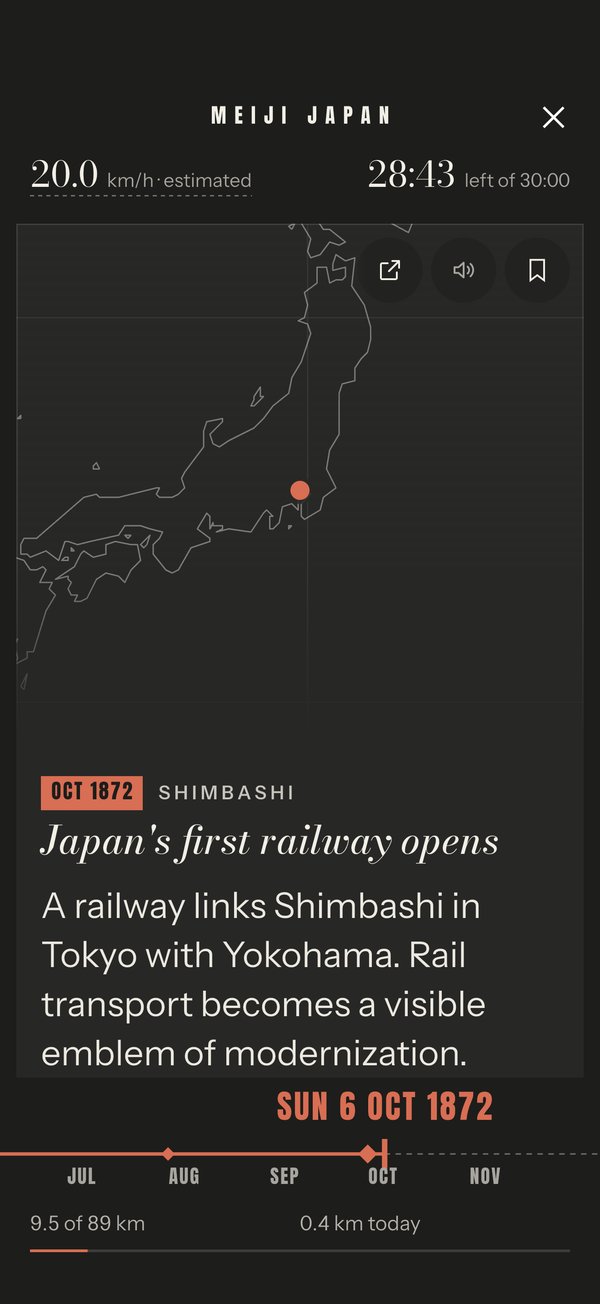
- Cyclorama (iPhone and iPad). On an era's Choose your ride screen, tap Ride without a sensor, then set Your speed with a slider to the speed you pedal at. Distance is worked out from that speed and the ride is labelled as estimated. Setting the speed to 0 pauses the ride (help: riding without a sensor). As you ride, an era of history moves forward with your distance and dated moments appear as you reach them.
- Kinomap (bikes, treadmills and rowers). Kinomap describes an optical sensor option that uses your phone or tablet's front camera to estimate your cadence from your movement, for equipment without a compatible Bluetooth connection (Kinomap support). It plays video of real routes and is a subscription app with a 14-day free trial (Kinomap plans).
If your bike's console shows a speed, it is a fair starting point for Cyclorama's slider. Treat it as a guide: the console is estimating too. A stationary bike workout for seniors looks at the same no-sensor ride from the point of view of larger text and read-aloud.
Route 2: add a cadence or speed sensor (and what it changes)
A Bluetooth cadence sensor is a small pod that clips or straps to a crank arm and counts your pedal turns. On an exercise bike with no real wheel, a cadence sensor is usually the simpler choice, because a speed sensor needs a wheel hub to sit on (help: speed and cadence sensors).
What it changes depends on the app:
| Your setup | Cyclorama | Zwift |
|---|---|---|
| No sensor | Slider speed, distance estimated | Needs a device that sends speed or power |
| Cadence sensor on the crank | Pedal turns plus your gearing (Easy, Middle or Hard), distance estimated | Cadence is an optional extra; you still need speed or power |
| Speed sensor on a rear wheel (bike on a trainer) | Wheel turns and wheel size, distance measured | Supported |
With a cadence sensor, Cyclorama follows your pedalling, so the ride slows when you slow and pauses when you stop. You no longer touch a slider. The distance is still an estimate, because the bike's resistance knob is not something any sensor reports. The full list is on what you can ride with.
Check the sensor speaks Bluetooth, not only ANT+. Cyclorama, like most phone apps, reads Bluetooth Low Energy, and ANT+-only sensors can't connect to it. Turbo trainer apps that work with a speed or cadence sensor explains what each sensor tells an app.
Route 3: follow-along class apps
If you want someone to tell you when to push, a class app suits a basic bike well. The instructor calls out cadence and effort, and you turn your resistance knob to match. Nothing needs to connect.
The Peloton App is one example. Its site says "you can use the Peloton App with any bike, treadmill, or rower", with a 30-day free trial for new members and a lower tier, App One, that includes 3 cardio equipment classes a month (Peloton App). Check the current price on their site; it varies by country and tier. For the paid video and world apps, the apps compared page lists what each needs.
Cyclorama is not this kind of app. It has no structured workouts, no instructor and no training plan. It suits easy and endurance rides when you want something to follow rather than someone to follow. If you want a stand and your own bike instead, see how to turn your own bike into a stationary bike.
What "estimated distance" means and why it still counts
On a bike that can't report its own speed, any exercise bike app is making a guess, whether it reads a slider, a camera or a cadence sensor. Only a smart trainer or a speed sensor on a turning wheel measures distance in Cyclorama. Everything else is labelled as an estimate, and we would rather say so than print a precise-looking number.
For Cyclorama, the estimate is enough. Each era is laid out along a route, about 25 km for a Sprint and 55 to 89 km for a Classic, and the distance you ride moves its calendar forward (the eras). Rides without a sensor count toward your journey like any other, and your place is kept for next time. Prefer miles? Change it in Settings (help: units).
Don't use an estimated figure for training numbers or calorie counts. Use it as a way to keep going.
Questions
What app can I use with a basic exercise bike that has no Bluetooth?
Use an app that doesn't need the bike to send data. Cyclorama lets you set your speed with a slider and rides on estimated distance; Kinomap can estimate cadence with your phone's camera; class apps such as Peloton need no connection. Zwift and similar training apps need a speed or power sensor.
Is there a free exercise bike app for a bike with no sensors?
Cyclorama is a free download on iPhone and iPad with no subscription. Its Sprint routes are free for good. It is not a workout app, so if you want structured sessions, look at a class app instead.
Do I need a cadence sensor?
Not for Cyclorama: you can ride with no sensor. A Bluetooth cadence sensor on the crank lets the app follow your pedalling instead of a slider, and it is the usual first step if you later want a training app.
Does Cyclorama work on Android?
Not yet in the store. It runs on iPhone and iPad (iOS 15 or later). Android is coming soon: join the beta list and we'll invite you.
Get Cyclorama
Cyclorama is free on the App Store for iPhone and iPad. Android is coming soon: join the beta and we'll invite you.
Download on the App Store Android beta
- How to turn your own bike into a stationary bike, without a smart trainer
- Turbo trainer apps that work with just a speed or cadence sensor
- A stationary bike workout for seniors that's easy to follow
- Indoor cycling without a smart trainer
- All guides
Image credits
| Credit | Licence | Source |
|---|---|---|
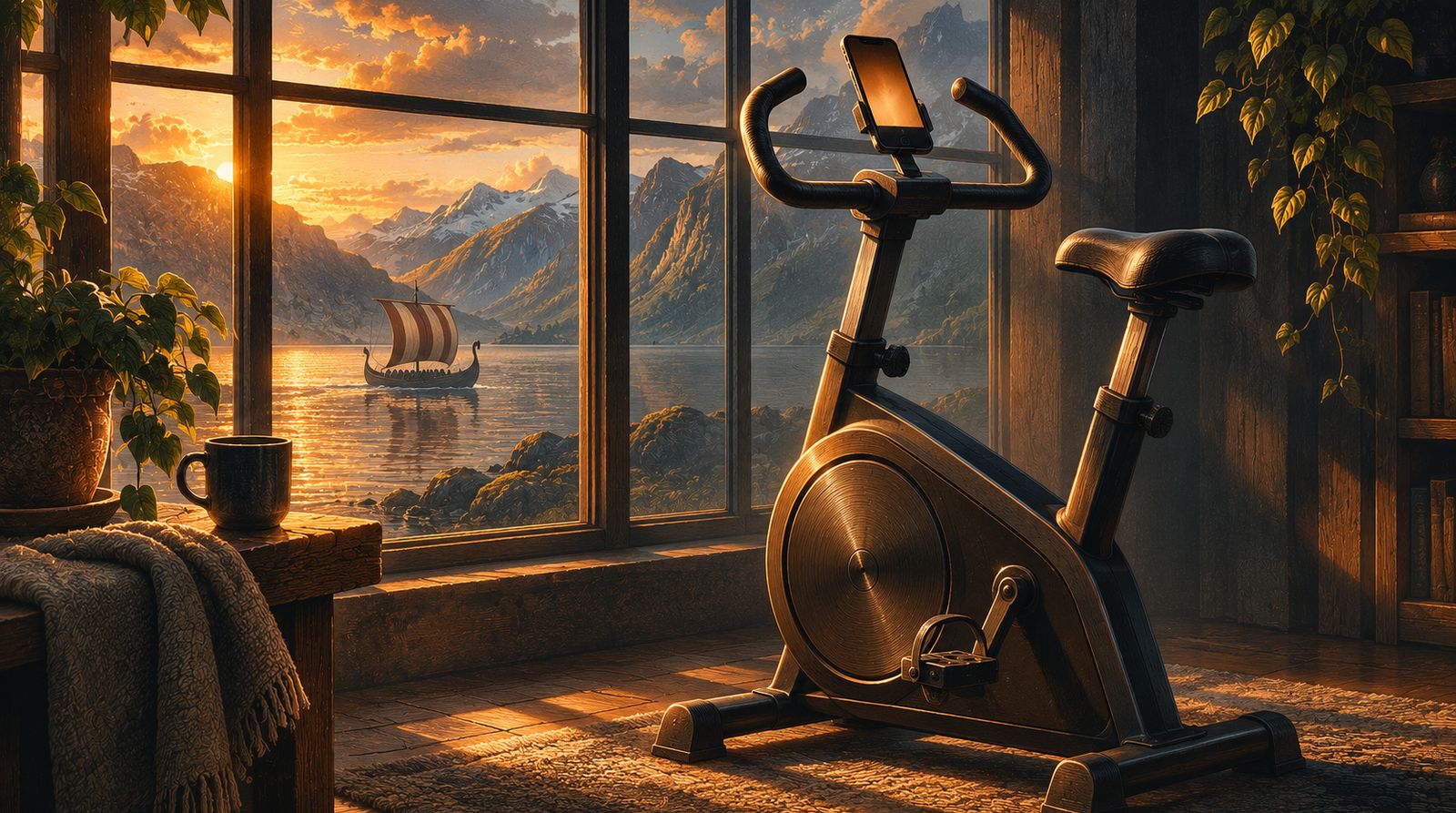
| Illustration, not a photograph: an upright exercise bike by a tall window at golden hour, a phone on its handlebars and a Viking longship on the fjord outside. Created for Cyclorama with ChatGPT (AI-generated) | AI-generated by us (ChatGPT) | |
| Cyclorama on iPhone. App Store screenshot, Cyclorama | Own product screenshot, from the App Store listing | source |